Proof
Sealed. Verifiable without us.
A Walk‑Check record is sealed when it arrives on the server. From then on anyone can check that it is original and unchanged: in a browser without an account, or offline with an independent verifier.
What a record proves
That this walkaround was recorded. And that nothing has changed since it was sealed.
In a dispute, what a record does not claim matters just as much. So we say it openly, the same way the verifier's instructions do.
It proves
- Whowho recorded the walkaround
- Whenthe time of the walkaround; the time of sealing is stamped by an outside authority
- Wherethe site, as it was entered in the app
- Which aircraftregistration and type
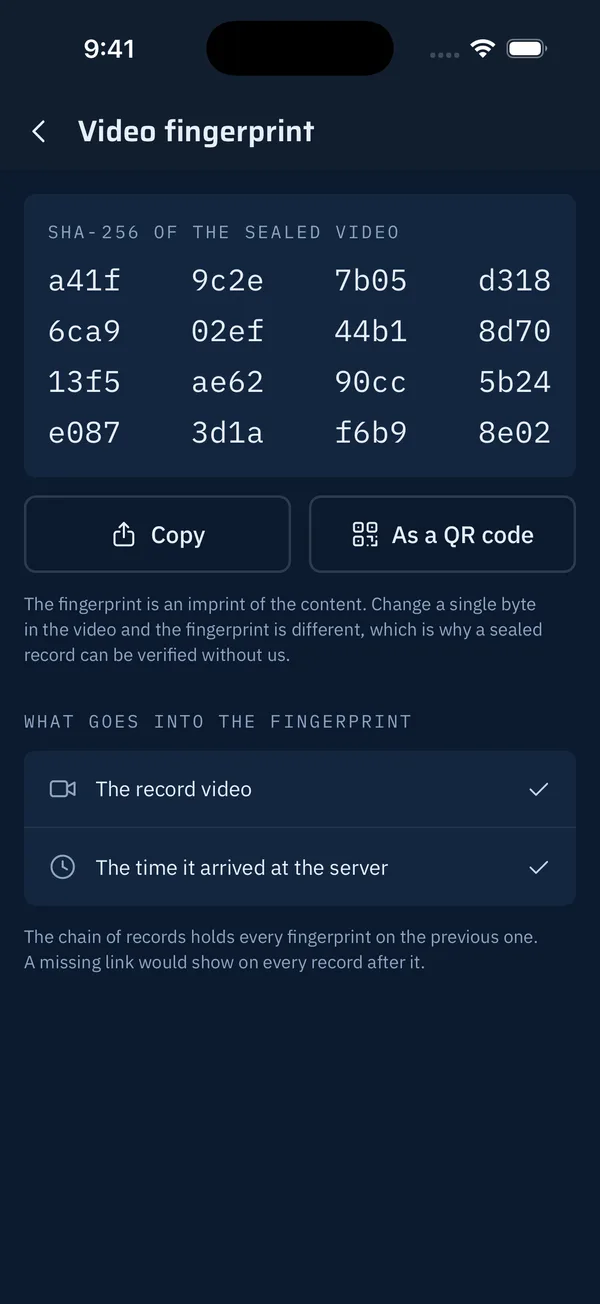
- The videoits SHA-256 fingerprint from the phone
- Unchangedthat nothing changed after sealing
It does not prove
- The condition of the aircraftIt is a record of what was in frame, not an airworthiness assessment.
- The video before uploadThe seal starts the moment the server accepted the recording. What came before is outside the chain.
- That someone stood at that aircraftThe place is the name entered in the app, not a measurement of where anyone was.
- That the walkaround was completeThe record shows what it holds. It does not replace the required inspection or the technician.
How the seal works
Four steps, and a result anyone can check.
The human decides, the machine attests. Neither replaces the other: it is the operator's work becoming provable.
Fingerprint on the phone
The phone computes the SHA-256 fingerprint of the video and sends it to the server with the recording.
Verified on arrival
The server recomputes the fingerprint of what arrived and compares it with the one from the phone.
Chain and signature
Each record carries the fingerprint of the one before it. The head of this chain is signed with a key in AWS KMS.
Timestamped
An outside time authority stamps the seal under RFC 3161, so the time of sealing does not rest on our word.
How to verify
Three ways. None needs an account.
The verifier reads a public key from a file and recomputes everything itself. You do not have to trust us.
-
Open the link
The shared link opens in any browser, without an account and without the app, and shows the record with its status.
-
Keep the PDF
The PDF report carries the machine-readable evidence inside, so it can be verified on its own, without our servers.
-
Run the verifier
An independent tool recomputes everything offline with our public key and answers VERIFIED or TAMPERED.
Verifier and instructions
Check the checker too: change one value in walkcheck-proof.json (not a space or a line break) and it must answer TAMPERED. If it still said VERIFIED, it would be verifying nothing.
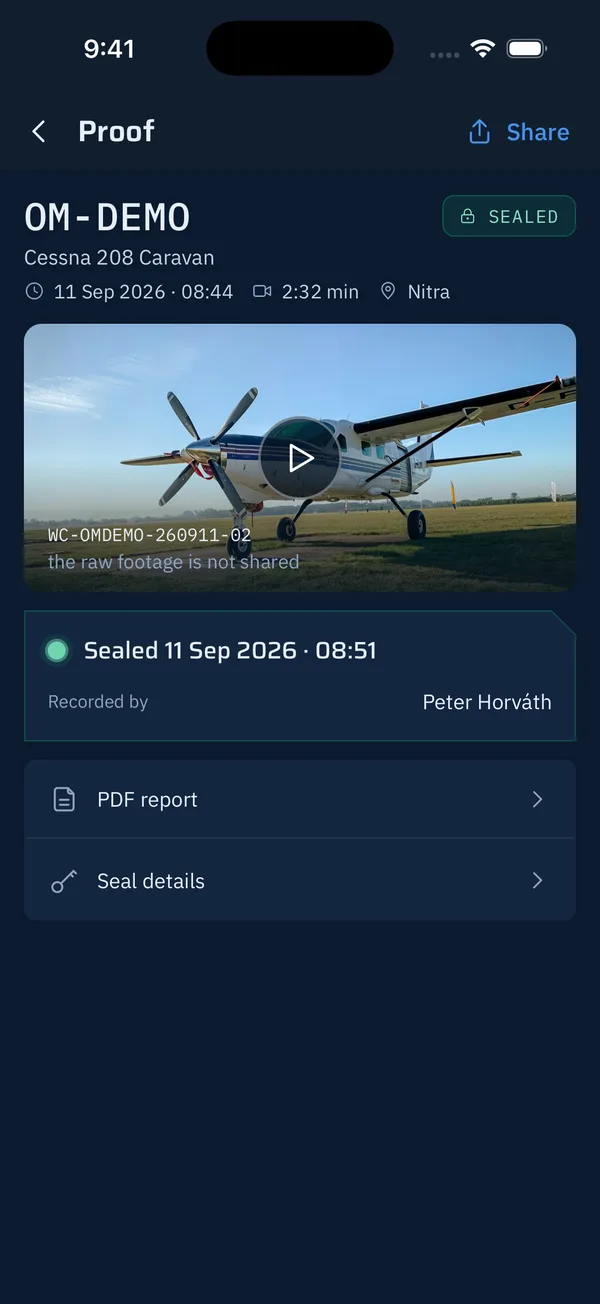
In the app, the person who recorded it sees the proof like this. The other side opens the same record as a page in the browser.
The other side
An insurer, a lessor, a buyer, an auditor.
They open the link and see the aircraft, the time, the site, the video and the seal. No account, no app, and without having to call us.
The chain is intact and the signature is valid.
Something changed after sealing, and the verifier says what.
A record can also show PENDING: it is sealed, but the outside attestation does not cover it yet, so it is not a final proof. The shared proof carries a pseudonym instead of the email of the person who recorded it. Anyone whose face is visible in the frame is blurred by the server before sealing; blurring is not yet guaranteed to catch everyone.